



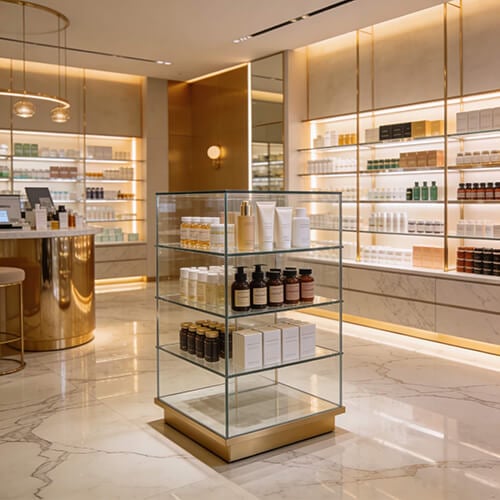





🛒 Imagine a customer entering your online store ready to buy… only to leave within 10 seconds because they couldn’t find what they were looking for.
Not due to price or product quality, but because the categories were confusing, the brands scattered, and the browsing experience overwhelming.
The reality that many store owners overlook is that the purchase decision isn’t made at checkout it happens the moment browsing begins.
In the world of e-commerce, where users expect to reach the product within two clicks, product organization becomes the decisive factor separating a successful sale from a lost visitor.
📊 User experience studies indicate that stores with organizing products by Categories and Brands achieve:
📱 With over 60% of shoppers relying on smartphones, there’s no room for chaotic categories or random searches. Today’s customer expects:
This comprehensive guide will walk you step by step through the most effective ways to organize products by categories and brands, showing how this structure directly impacts user experience, boosts SEO performance, and drives sales, while integrating modern inventory management and smart browsing practices in today’s e-commerce stores.
How to Organize Products by Categories and Brands
Products are organized effectively when a store is built on a clear classification structure that combines main categories, subcategories, and brands, supported by smart filtering systems.
These filters allow customers to quickly find the right product, improving the browsing experience, boosting conversion rates, and simplifying inventory management within the product management system.
Organizing products is not just a matter of visual arrangement. It’s a strategic decision that directly affects customer behavior and store performance.
When products are grouped into logical, interconnected categories and can be browsed by brand, price, or rating, cognitive overload decreases, and options become clearer for the customer.
This clarity accelerates purchase decisions and reduces operational errors, such as mislinking products to inventory or difficulty tracking sales performance for each category or brand.
Additionally, a well-structured product hierarchy provides search engines with better context to understand the store’s content, enhancing organic visibility and improving the performance of category and brand pages in search results, especially when integrated with automated inventory management and product activity reports.
To implement this organization practically and professionally, it is essential to rely on a set of core pillars that form the backbone of any organized, scalable e-commerce store:

1. Build a Smart Category Structure for Easy Product Discovery
Products are efficiently organized when the store is built on clear, comprehensive main categories, each subdivided into precise subcategories that reflect how customers think while searching.
This approach facilitates quick product discovery, reduces friction during browsing, and supports organized, scalable inventory management within the product management system.
To achieve this practical structure, design a hierarchical category system that balances clarity and navigational ease, allowing customers to reach their desired products without cognitive strain or unnecessary steps:
2. Organize Products by Brand to Build Trust and Speed Up Purchase Decisions
Classifying products by brand is a strategic move that allows customers to instantly access all items from a trusted brand on a single, clear page.
This enhances credibility, reduces search time, and increases the likelihood of purchase, while also supporting site structure and internal linking for SEO.
To implement this effectively, treat each brand as a separate unit within your category and product management system, providing search and filter tools for direct and clear access:
3. Use Keywords to Filter Products and Accelerate Customer Access
Keyword-based filtering links each product to a precise set of attributes and descriptive keywords in the product management system, which are then offered as smart filters on the storefront.
This enables customers to narrow search results instantly, reaching the desired product with minimal steps, directly boosting conversion rates.
For a professional implementation, create a faceted search system that combines keywords, categories, and brands, working seamlessly with both user experience and search engines:
4. Organize Products by Price and Ratings to Speed Up Purchase Decisions and Build Trust
Sorting products by price and ratings allows customers to filter items according to their budget and expected quality.
Smart filters can display products from lowest to highest price or highest to lowest ratings, reducing hesitation and accelerating purchase decisions.
To implement this efficiently, integrate price and rating filters clearly on category and brand pages, guiding customers rather than distracting them:
5. Leverage Promotions and Discounts to Encourage Immediate Purchases
Highlighting special offers and discounts systematically within category and brand pages (through dedicated sections and visible tags) draws attention to deals as customers browse, boosting engagement and encouraging quick purchase decisions.
To maximize marketing impact, organize promotions so they are easy to discover without disrupting browsing or distracting from core products:
Why Product Organization Is Crucial for Enhancing the Shopping Experience
Organizing products is critical for improving the shopping experience because it reduces search time, simplifies decision-making, and increases conversion rates from visitor to paying customer.
When an online store is well-structured, customers can quickly find what they are looking for, reducing cognitive overload and enabling faster purchase decisions.
This organization also enhances the overall user experience, contributing to higher customer satisfaction and encouraging repeat purchases.
Additionally, clear categorization and product structure improve the logical flow of navigation, resulting in a smoother, more intuitive shopping journey.
With proper implementation, a store transforms from a random display of items into a thoughtfully designed shopping environment that facilitates decision-making.
Here are some key reasons why product organization is essential for enhancing the shopping experience:
How Categories and Brands Boost Your Store’s Search Engine Rankings
Categories and brands play a crucial role in improving a store’s search engine ranking by enhancing site structure, facilitating indexing, and increasing visibility in search results.
This, in turn, attracts higher-quality organic traffic.
Search engines rely on website structure to understand how content and pages are organized.
By effectively structuring categories and systematically linking them to brands, search engines can identify relationships between pages, improving the store’s visibility in targeted search results.
Moreover, incorporating precise keywords within categories and brands increases the likelihood that these pages will appear in searches for specific product types or brand names.
Highlighting categories and brands benefits not only the user experience but also plays a key role in SEO.
Here are several ways they contribute to improving your store’s search ranking:
In short, categories and brands are essential elements for building a strong and sustainable SEO foundation, helping your store rank higher and attract more qualified visitors over the long term.
Keeping Up with the Latest E-Commerce Design Trends
Modern e-commerce design requires seamless mobile browsing, voice search capabilities, and the integration of AI tools to enhance user experience and automate content organization.
With a growing number of customers shopping on smartphones, category menus must be optimized for small screens, using clear, concise labels and prioritizing the most popular categories.
Additionally, voice search has emerged as a significant trend. Incorporating natural language terms in product and category descriptions ensures better visibility in voice search results.
AI can also be leveraged to automatically categorize products: machine learning tools analyze item descriptions and accurately assign them to the appropriate categories, ensuring system consistency and minimizing errors when adding new products.
These technological advancements contribute to a more interactive, organized, and user-friendly interface that aligns with customer expectations and improves over time.
The Bottom Line: Product Organization as the Foundation for Smart Shopping and Sustainable Growth
Professional organization of products by categories and brands is no longer optional. It is essential for creating a clear, fast, and conversion-oriented shopping experience.
When customers can easily find what they’re looking for, distraction is minimized, order completion rates rise, and long-term loyalty increases.
Operationally, this organization directly impacts product and inventory management. It facilitates item tracking, reduces stock errors, and improves purchase and replenishment decisions.
By adopting an integrated product and inventory management system, this organization becomes a smart, automated process, supported by real-time updates, accurate reporting, and clear performance analytics.
In short, organizing categories and brands forms the foundation for a successful user experience, strong SEO performance, and more efficient operational management, making the difference between an ordinary store and a scalable, growth-ready business.
Build Your Organized, Smart, and Scalable Online Store Today with OSOSS Digital Solutions:
💡 Get started now with OSOSS and let us help you organize and optimize your business for sustainable growth!
Frequently asked questions about Organizing Products by Categories and Brands
Yes. Poorly organized categories can significantly reduce the effectiveness of the shopping experience.
When categories are unclear or overlapping, customers spend more time searching and struggle to find the products they want.
This increases the likelihood of abandoned carts, lowers customer satisfaction, and negatively impacts loyalty and repeat purchase opportunities.
Categories organize products by type or usage, while brands focus on the supplier or brand itself. Combining both provides a more precise and user-friendly browsing experience.
Customers can filter by a main category and then select products from a specific brand, enhancing satisfaction and increasing the chances of completing a purchase.
A new category should be created when a set of products clearly differs from existing categories in terms of type or characteristics.
This facilitates navigation, improves inventory management for e-commerce stores, and delivers a more organized user experience.
Yes. Excessive or poorly planned categories can confuse customers and reduce browsing efficiency.
Offering too many options without clear organization makes it harder to find products and increases the likelihood of cart abandonment.
An integrated product management system links products directly to inventory, updates stock levels automatically, and sends alerts when items run low.
This minimizes manual errors in stock tracking, ensures product availability, simplifies multi-location inventory management, and enhances the accuracy of reporting.